The Ultimate Email Tool Review: What I Used, What Worked, and What Didn’t
Email marketing is the backbone of most businesses, and over the years, I’ve tried several tools across different companies. Some worked like a charm, while others had frustrating limitations. This blog is a no-BS review of every email tool I’ve used, what I used it for, and whether I’d recommend it.
1. Zoho Mail – A Complex Setup with Low Deliverability
Used for: Disbug (HTML template emails, automated workflows)
Zoho Mail was the first email tool I worked with, and we went all in—HTML templates, complex workflows, and automated sequences that nudged customers to take action within a week. The workflow was well thought out:
- Day 1: Customer enters the workflow.
- Day 2: Prompted to report their first bug.
- Day 3: Encouraged to invite a member.
- Day 7: Final reminder.
The problem? Low open rates, low click-through rates, and poor deliverability. Zoho’s email infrastructure wasn’t great, and our emails often landed in spam or promotions. Verdict: Not recommended for email marketing, better suited for internal communications.
2. Customer.io – A Game Changer for B2B Outreach
Used for: Bullet.so (Plain-text email campaigns)
Switching from Zoho to Customer.io wasn’t just about the tool—it was a shift in email strategy. Instead of flashy HTML emails, we moved to plain text emails sent from our founder’s name—a huge win for B2B founders who valued authenticity over design.
The result? An 85% open rate on launch day for Bullet.so. Customer.io allowed us to set up behavior-based automations while keeping things lightweight and personal.
Pros:
✅ High deliverability rates
✅ Strong automation features
✅ Ideal for startups with B2B audiences
Cons:
❌ UI is not the most intuitive
❌ A bit pricey for early-stage startups
Verdict: Great for personalized, high-converting email campaigns. Also, I used this tool in 2022, the tool has changed a lot since.
3. SendFox – Budget-Friendly, But Lacks Personalization
Used for: Startup Ecosystem Canada (Event invites, plain-text emails)
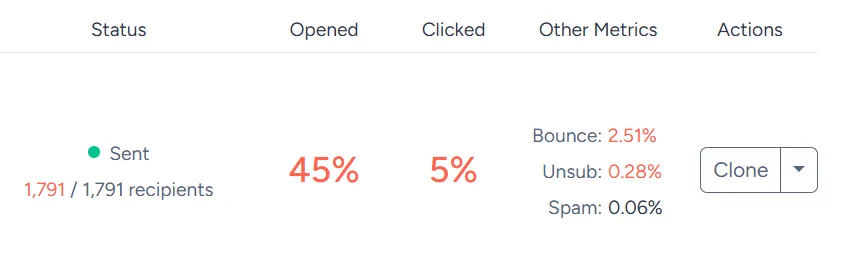
SendFox is a solid budget email marketing tool if you’re working with small lists and simple campaigns. We used it for our Startup Ecosystem Canada email list (~2,000 founders), mainly for event invites. It had a 90-95% deliverability rate, which was impressive.
However, it lacks personalization options—only supporting first name, last name, and email. For our other, more advanced use cases, this was a deal-breaker.
Pros:
✅ Affordable
✅ Good deliverability (for warm lists)
✅ Simple and easy to use
Cons:
❌ No advanced personalization (custom fields missing)
❌ Can’t pause or undo campaigns
❌ Not suitable for cold email outreach
Verdict: Great for small businesses with basic needs, but limited for serious email marketing.
4. Brevo (Formerly Sendinblue) – High Deliverability, Strict Policies
Used for: Multiple campaigns with inbound lists
Brevo is one of the best tools if you have a clean email list—but their policies are super strict. Even if people sign up on your website, a minor typo in an email address can get your account flagged.
Pros:
✅ High deliverability (when lists are clean)
✅ Great automation features
✅ Decent UI
Cons:
❌ Extremely strict email validation (accounts get flagged often)
❌ Frustrating customer support experience
Verdict: Powerful but risky—not ideal if you frequently add new contacts from various sources.
5. Gmass – The Best Tool for Small, Personalized Outreach
Used for: One-on-one outreach, small-scale campaigns
Gmass is an underrated gem. If you’re sending personalized emails to a small group of people (like investors, high-value leads, or cold outreach prospects), it’s one of the best options out there.
Pros:
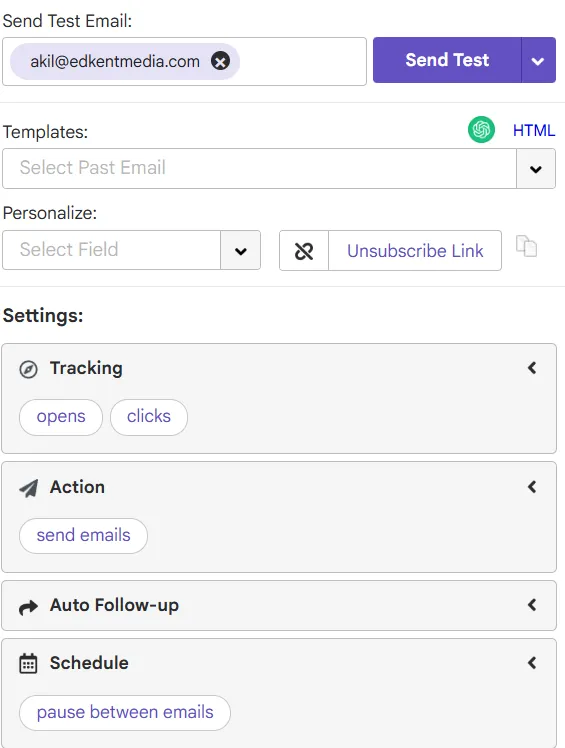
✅ Easy to use—works inside Gmail
✅ Can send personalized attachments (e.g., invoices, proposals)
✅ Supports both HTML and plain text
✅ Pauses between emails (mimicking real human sending patterns)
✅ Google Sheets integration for easy contact management
Cons:
❌ Not for bulk email (sending 10,000+ emails isn’t ideal)
❌ Gmail’s sending limits apply
Verdict: Perfect for highly personalized email campaigns but not built for mass marketing.
6. SendGrid – High Deliverability for Large Campaigns
Used for: High-profile clients with 50,000+ contacts
If you’re sending massive email campaigns and need rock-solid deliverability, SendGrid is a great choice. Emails either land in the inbox or promotions—they never go to spam.
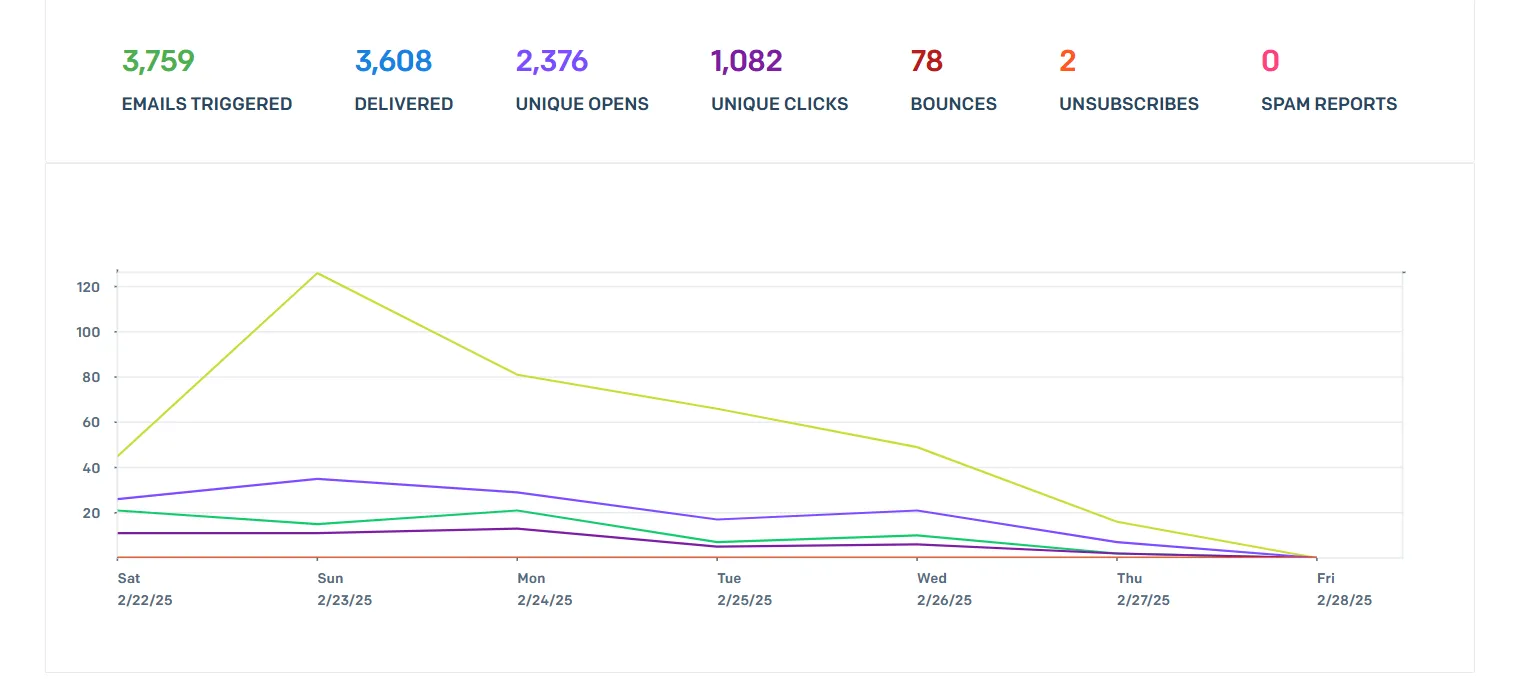
However, getting campaign stats is a nightmare—they disappear after three days unless you pay extra.
Pros:
✅ Industry-leading deliverability
✅ Scales well for high-volume email marketing
✅ Strong API integrations
Cons:
❌ Expensive
❌ Stats disappear after three days unless you pay extra
❌ Not user-friendly for beginners
Verdict: Great for enterprises and high-volume senders, but not ideal for small businesses due to cost and usability.
7. Mailchimp & Other Popular Tools – Overhyped & Not That Special
I’ve also tried Mailchimp, ConvertKit, and a few others, but honestly, they all felt similar—nothing truly unique. They work fine for generic email marketing but didn’t stand out enough to be a go-to tool for me.
Verdict: Good for general email marketing but not my first choice for specialized use cases.
Final Thoughts: Which Email Tool Should You Use?
| Use Case | Best Tool |
|---|---|
| B2B SaaS with plain-text emails | Customer.io |
| Budget-friendly event marketing | SendFox |
| High-volume emails with top deliverability | SendGrid |
| Personalized outreach (small lists) | Gmass |
| Strict list validation + automation | Brevo |
TL;DR:
- If you’re sending bulk emails and need deliverability, SendGrid is worth the price.
- If you’re doing B2B SaaS emails, Customer.io is a winner.
- If you need a cheap, simple tool, SendFox is decent.
- For highly personalized emails, Gmass is the best choice.
I’ll cover my email marketing strategies in another post, but for now, these are my honest thoughts on the tools I’ve used.